A panic button your clients carry everywhere.
Give your clients a panic button on their phone, in your company's name. Your control room sees who they are and exactly where they are – and your nearest officer is on the way in seconds.
From button to help in four steps.
No extra devices, no new numbers to remember. Just the phone your client already carries.
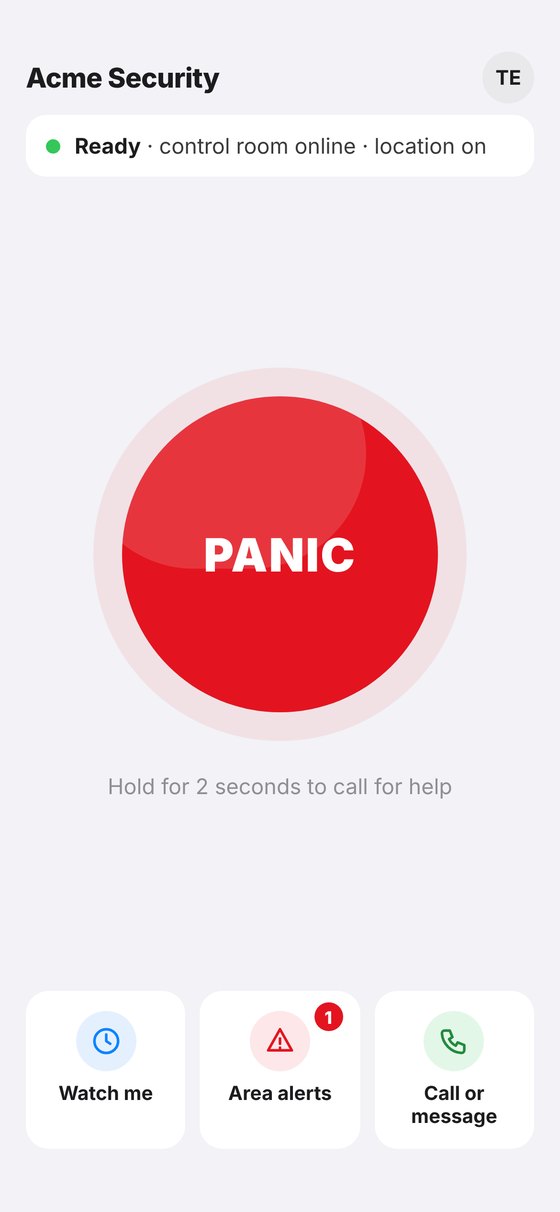
Hold the button
The client holds PANIC for 2 seconds, so pocket presses don't count. No signal? The app phones your control room.
The control room sees it
Name, callback number, exact location, suburb and nearest street – with a loud alarm on the screen.
The nearest officer accepts
A loud callout with route and drive time. One tap to accept, then built-in navigation. Or let Auto-pilot send the nearest officer.
Help arrives
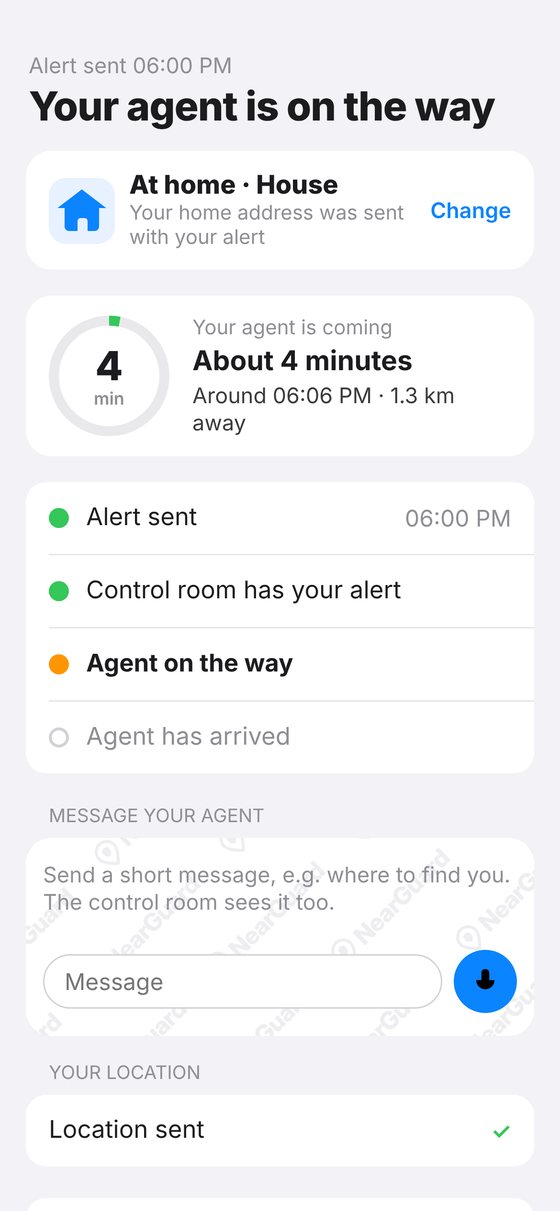
The client sees when the officer will arrive, minute by minute. If the client moves, the officer is guided to where they are now.
Everything your company needs, working together.
A client app, an officer app and a control room dashboard – sold to your clients under your own name.
The panic button
Simple enough to use in the worst moment.
- Hold for 2 seconds – exact location sent
- House or flat, floor and unit for the officer
- Watch me: home, a run or an errand
- One PIN – a wrong PIN quietly raises the alarm
- Call or message your control room any time
- Area alerts for where the client lives
Built for the driver's seat
Big buttons, loud alerts, eyes on the road.
- Loud callout, even with the screen off
- Route and drive time before accepting
- Built-in spoken navigation
- Voice notes with the control room
- Escorts home: a short chime when it's time to leave
- Warns the officer if the control room is offline
Command on one screen
In any web browser – nothing to install.
- Live map of alerts, officers and Watch me trips
- Auto-pilot sends the nearest free officer
- Client messages in one easy inbox
- Area alerts to clients and all officers
- Hot spots, history and printable case reports
- Light and dark mode for night shifts
Not home in time? We follow the phone.
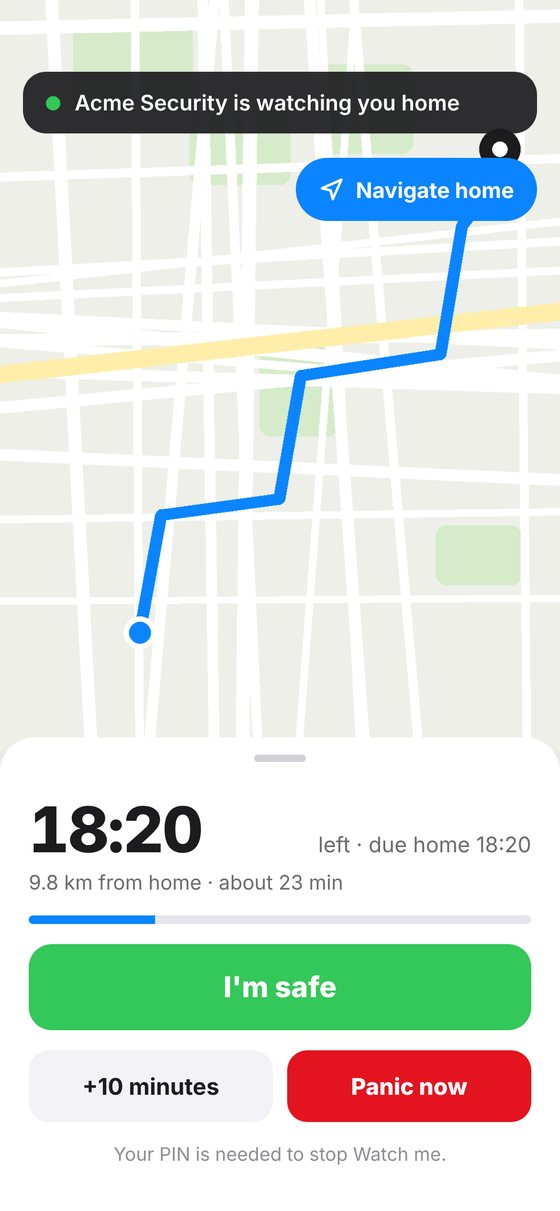
Your clients share a trip home, a run or an errand. If something goes wrong, your control room already knows where to look.
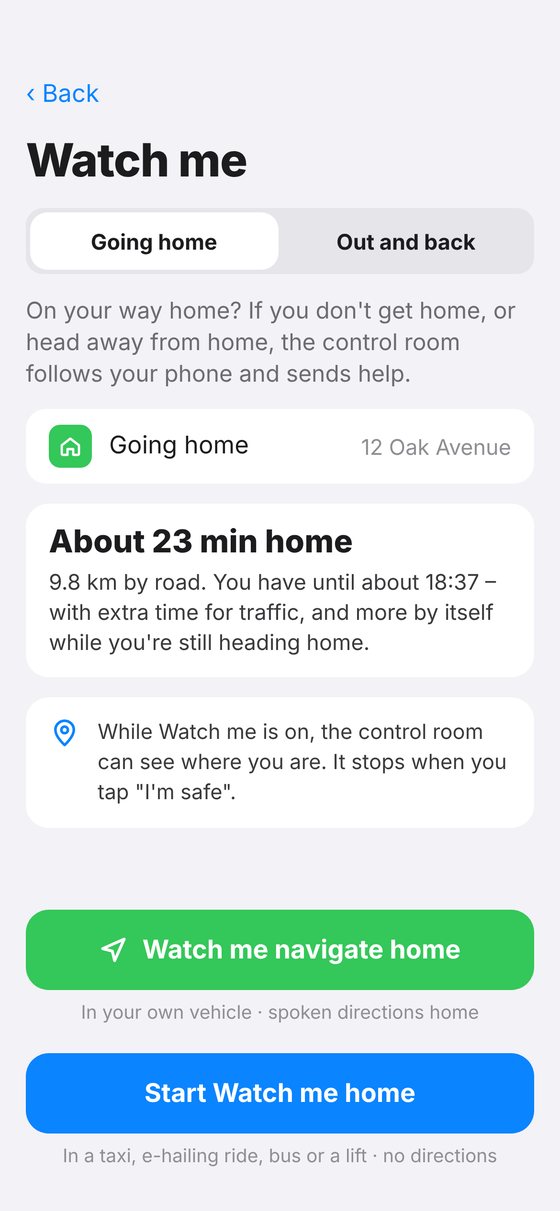
- No timer to setThe GPS works out when the client should be home, with extra time for traffic.
- Directions home in the appSpoken directions while they drive – Panic is always one tap away.
- Phone grabbed? Car taken?Heading away from home, moving at car speed on a walk, or late back: the alarm goes up and the phone is followed.
- An officer at the gateClients can ask for an escort home – your officer waits at the gate. See escort home ›
An officer at the gate – and a new service to sell.
Arriving home at night is when many clients feel most at risk. With one switch in Watch me, they ask for an officer to be waiting at the gate.
- On time, without tying up an officerThe app works out when the client will be home. Your officer stays free for panics and gets a short chime when it's time to leave – to be at the gate 5 minutes early.
- "Client is safe" – confirmedYour officer confirms once the client is inside. The client's phone says so, with an "I'm not safe" button just in case.
- Your rules, your priceYou choose how many escorts are included each month, the price of extra escorts and the hours. Clients see what's left before they ask.
- Ready for billingA monthly list per client shows every escort and every extra one, with a download for your accounts.
Shopping centres: guards on their rounds, shops one tap from help.
Draw the centre on the map, put your foot guards on it and give every shop a panic button. Switch it on only for the companies that need it.
- Proof of every roundGuards scan QR codes or tap NFC tags at each checkpoint. Your control room sees each round as it happens.
- Warned straight awayA guard leaves the site, stands still too long or misses a round – the control room sees it in red.
- One login per shopUp to 50 staff phones per shop. Each phone is registered, so you always know who pressed. Panic switches off after hours, on your schedule.
- Everyone at onceA shop panic goes to every guard on the site and the nearest vehicle. Guards can call 1–5 vehicles for backup – sent automatically or by your controller.
See every alert, officer and trip – live.
Your controllers see the full picture and act in seconds. Every step is recorded for reports, insurers and SAPS.
- Possible duress, clearly markedA wrong PIN shows "Cancelled" on the client's phone, but your screen says otherwise.
- Phone moving? The pin follows.The officer is guided to where the client is now, not where they pressed.
- Never miss a weak signalNo internet on the client's phone? The app phones your control room instead.
Pay only for what you use.
Every company gets the essentials. Switch extras on or off in your dashboard whenever you like – your clients and officers only see what you offer.
Always included
Everything you need to answer a panic.
- Panic button app for your clients, with a duress PIN
- Officer app with directions, backup and messages
- Live control room with map, history and reports
- Your logo, name and control room number
- POPIA privacy policy for your clients, in your name
Switch on when you need them
Add or remove an extra in your dashboard at any time – no app update needed.
Your name on every screen.
Your clients see your logo, your control room number and your company name – NearGuard runs quietly in the background.
Live in days
We set up your company, response area, logo and control room. Your clients get an invite and are ready in minutes.
POPIA built in
Clients agree to a privacy policy with your details. Location is shared only after a panic or during Watch me – never secretly.
Simple monthly pricing
A once-off setup fee, then a monthly fee plus a small amount per client. Add-ons only while you have them on. Ask us for a quote for your company.
See it working in 20 minutes.
We'll show you the client app, the officer app and the control room – live, with a demo alert on the map.